
Move fast and copy things
Copy, duplicate, and move events between your calendars, and change a whole group in one go, now on iOS and Android too.
 Seb JachecEngineer
This week, we've been hard at work making sure the fundamentals work as quickly and smoothly as you'd expect.
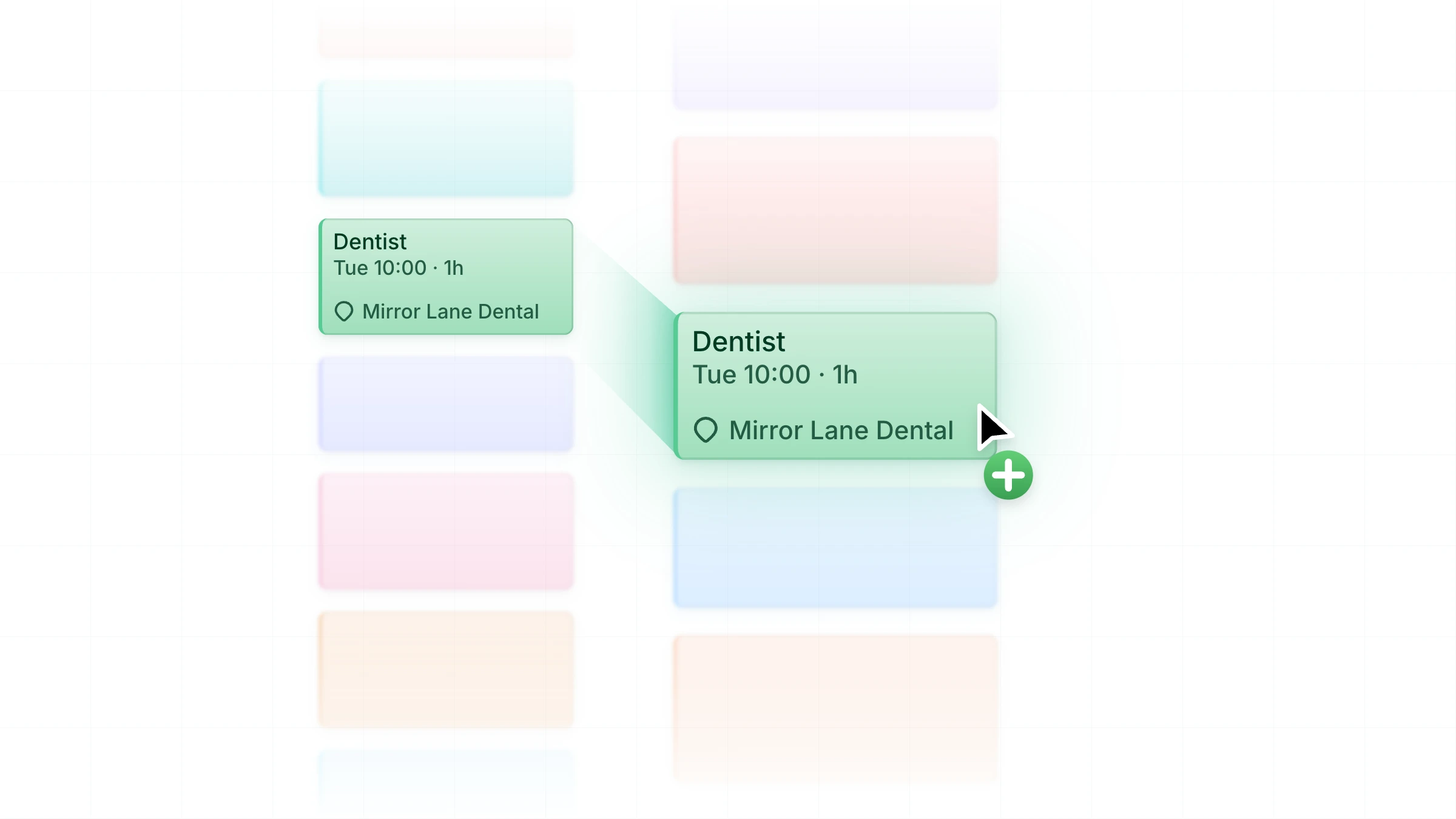
You can now copy, paste, duplicate, and move events between any of your calendars. Plus, on iPhone, iPad, and Android, you can select several events to change them all at once, just like on web and desktop. It's a quick way to copy a week of shifts to your work calendar, or clear a day that got cancelled.
Your dentist appointment might be on your personal calendar, but your colleagues only see your work one. Copy it to your work calendar, and the time shows as busy where it needs to. You can copy invitations and events from calendars shared with you too, even ones you can't edit.
When an event ends up in the wrong calendar, move it to the right one, even if that's from iCloud to Google. If a move means guests get a new invitation, we'll ask first.
How it works#
On web and desktop, right-click on any event to act on it, shift-click on multiple events to select them together, and drag one or more events while holding ⌥ (Mac) or Ctrl (Windows) to copy them. Keyboard shortcuts work as well, like ⌘D/Ctrl+D to duplicate and Delete to remove, plus every action is also in the command palette (⌘K/Ctrl+K).
On iPhone, iPad, and Android, touch and hold an event, or swipe right in list layout, to take action or select it. With a keyboard and trackpad on iPad, ⌥-drag and the shortcuts for copy, paste, duplicate, and delete work too.
We've sweated the small stuff, too. On your phone, selecting events works just like your other apps, so it feels familiar from your very first touch: Liquid Glass buttons along the bottom of the screen on iPhone and iPad, and actions along the top on Android. On every platform, if you copy an event into a calendar your current tab's filters hide, it stays on screen while it's selected and we'll let you know, so it doesn't feel like anything's vanished.
Make your move#
All of this is available now on the web and in the latest version of the desktop app. Version 3.38.0 for iPhone, iPad, and Android is rolling out now.
Let us know your feedback and how you get on via our Discord community or in-app feedback on any platform.